In the Interface tab, you can map vendors and ingredients.
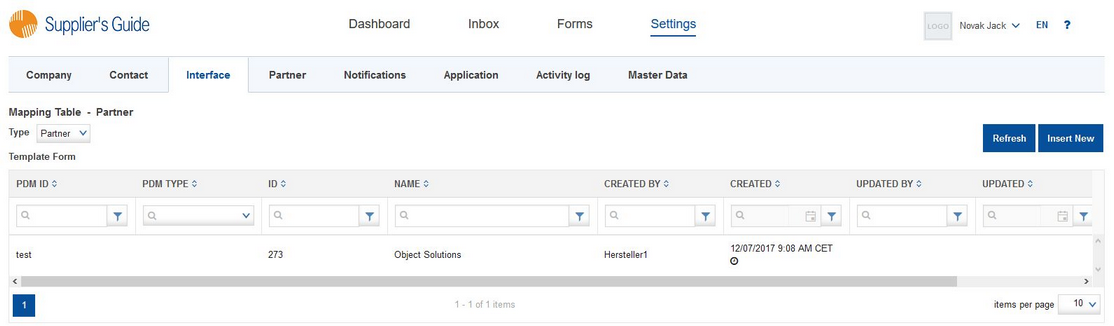
In the table, you can find the following information:
•PDM ID: The ID of the entry in PDM
•PDM type: Type of the entry in PDM (does not need to be filled out)
•ID: Portal ID of the entry
•Name: The name/localization of the entry
•Created by: The username of the user that created the entry
•Created: The date and time on which the entry was created
•Updated by: The username of the user that updated the entry
•Updated: The date and time on which the entry was updated